MeshAnimate
A downloadable tool for Windows, macOS, and Linux
Pivot-style pose-to-pose animation for rigged Blender characters.
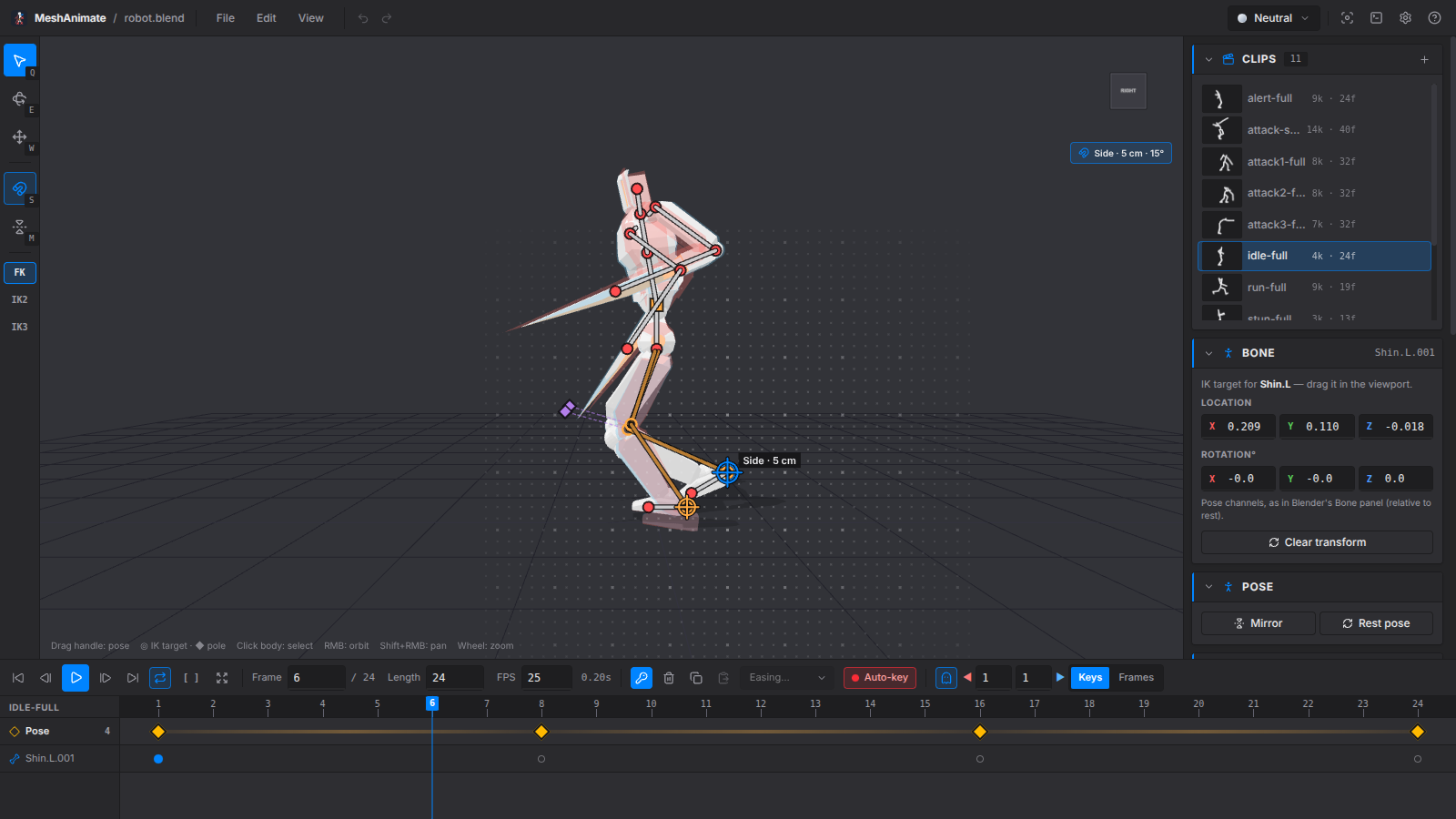
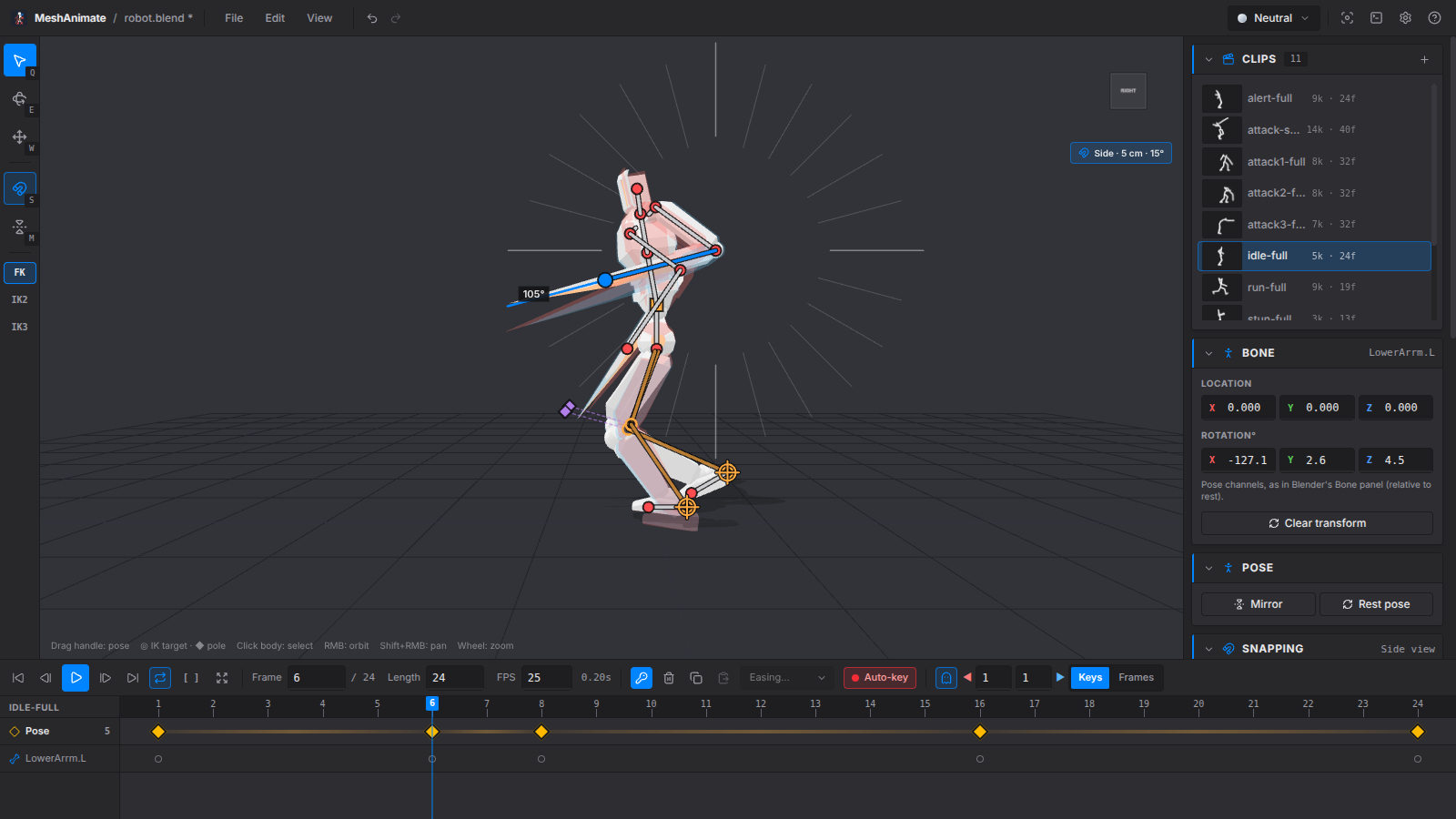
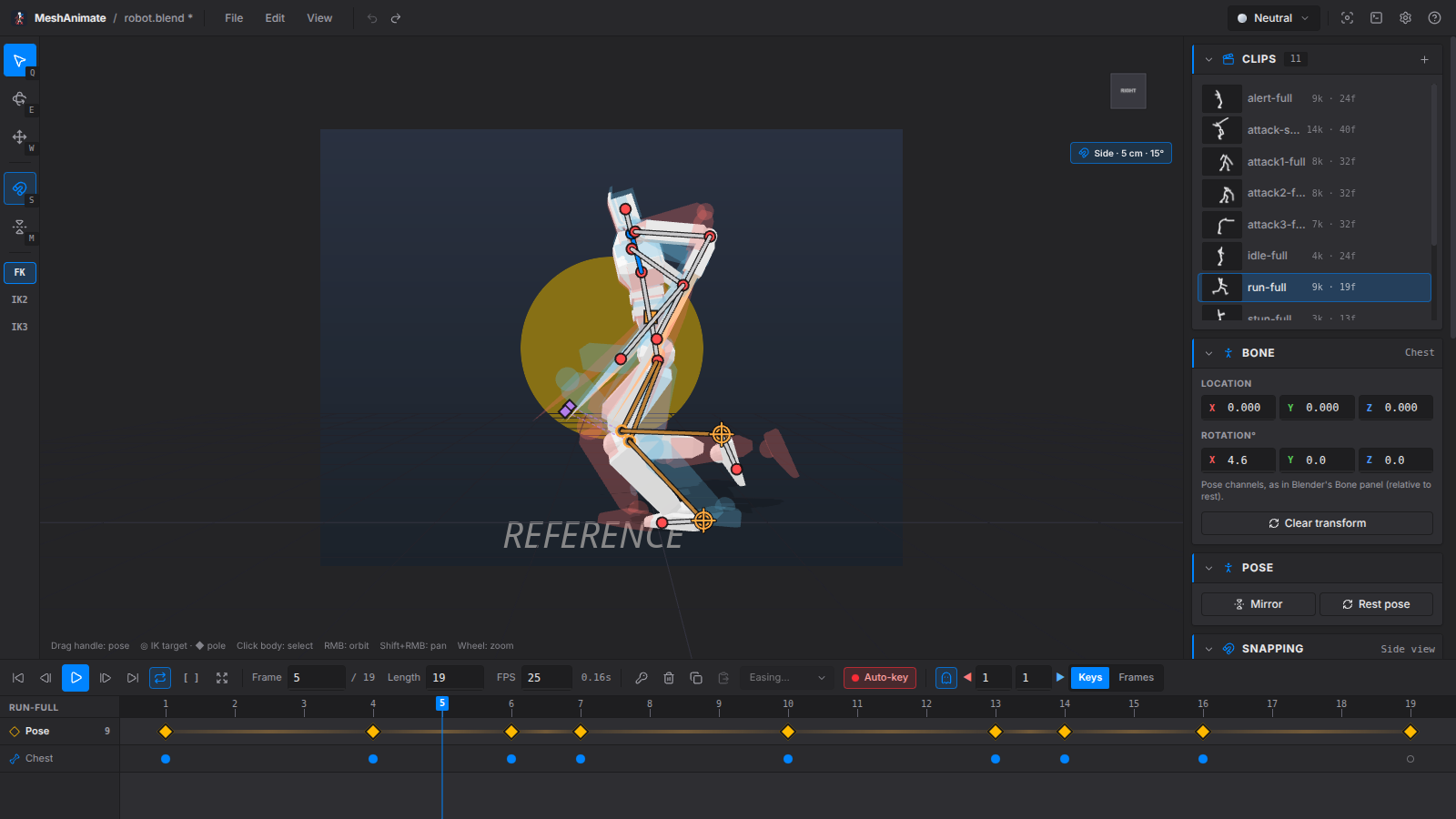
Open a .blend, drag a bone to pose it, move to another frame and pose again. MeshAnimate shows your poses on a simple timeline, shows the poses before and after as ghosts, and saves your animation back into the .blend as normal Blender actions.
Features
- Drag to pose: Each bone has a handle at its end. Drag it to move the bone, like Pivot Stickfigure Animator. The orange square moves the whole rig.
- IK: Limbs that use Blender IK are posed by dragging the hand or foot. Poles point the knee and elbow. The result matches Blender.
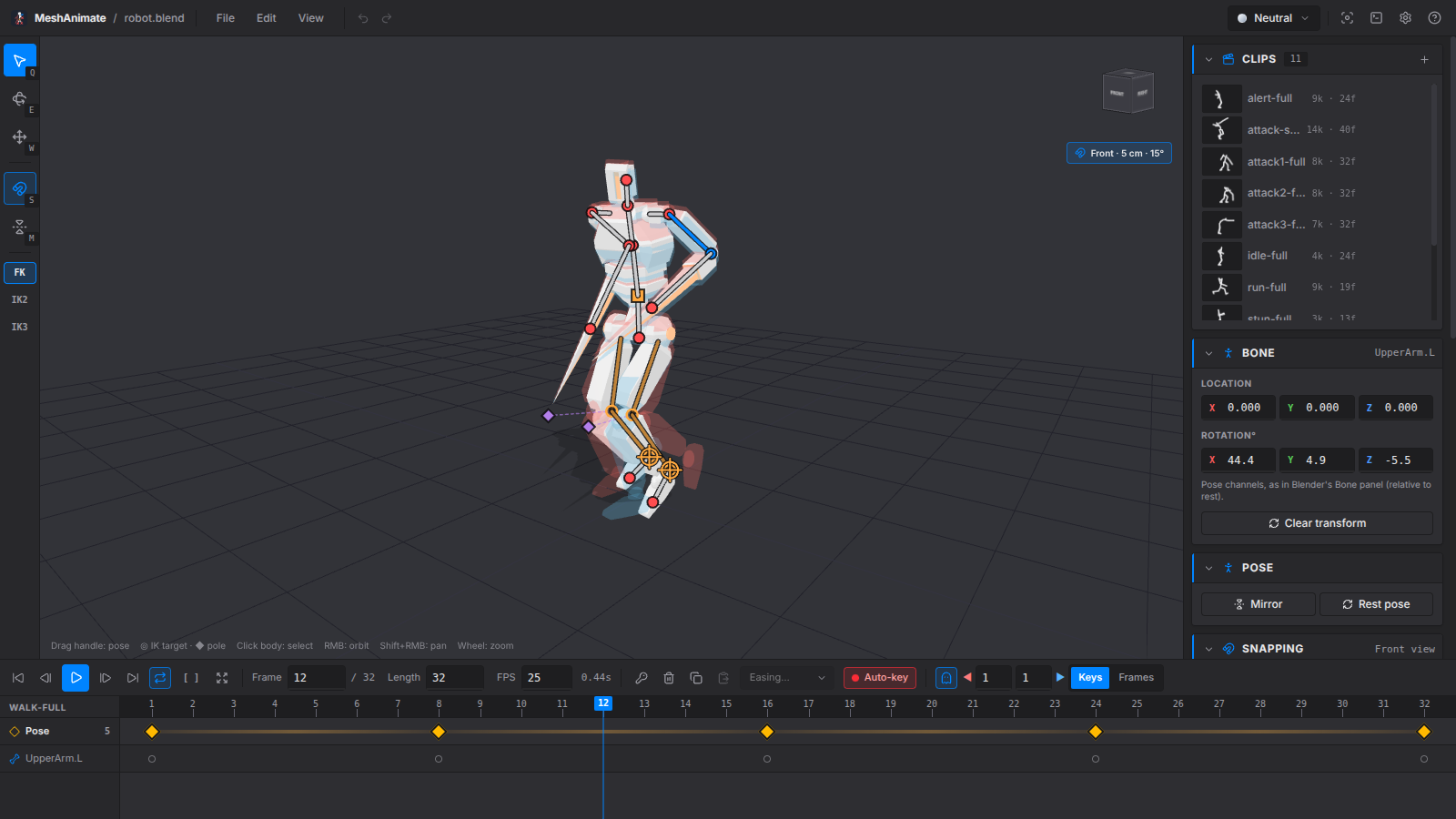
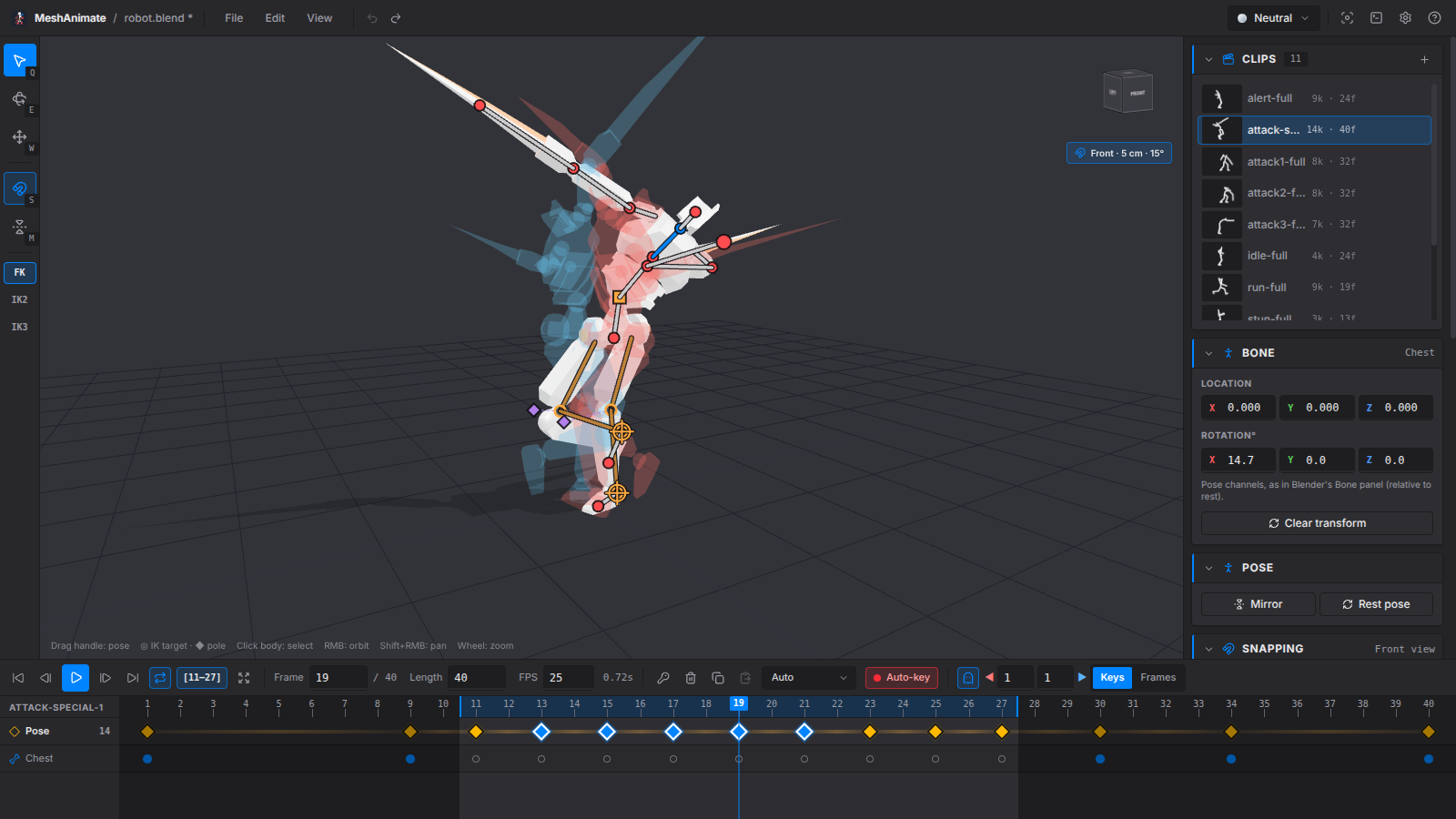
- Onion skin: See the poses before and after the current frame as ghosts. You can also show the first frame as a ghost at all times.
- Simple timeline: One row of keys for the whole pose. Drag keys to move them, Alt+drag to copy, right-click for easing. Set a preview range to loop part of a clip.
- Snapping: In front, side or top view, handles snap to a grid and bones turn in fixed steps.
- Walk cycles: Mirror a pose, or key the mirrored pose half a cycle later with one key.
- Reference: Put an image or video behind the model. Videos follow the playhead.
- Plays like Blender: Playback uses the same curves and easing as Blender. The tests check this against Blender.
Saving
- Before each save, the
.blendis copied to.meshanimate-backups/next to it. The last 20 copies are kept. - Only the actions you changed are saved, and only the bones you changed in them. The rest of the file is not touched.
- New actions get a fake user and their own NLA track. Renaming a clip renames its track.
- If the file is saved in Blender while it's open here, MeshAnimate notices. It reloads if you have no unsaved work. If you do, it asks whether to merge.
Requirements
- Blender, tested with 5.2. Older 4.x versions may work but are untested. MeshAnimate runs Blender in the background to open and save
.blendfiles. It finds Blender on its own, or you can set the path in Preferences. - A
.blendwith an armature. Skinned meshes and parts parented to bones both work.
Some rigs move the mesh with other constraints, like Rigify's Copy Transforms, Stretch To or drivers. You can still animate and save them, but the preview may not match Blender exactly. MeshAnimate tells you when this is the case.
Shortcuts
| Key | Action |
|---|---|
| Space | Play / pause |
| ← / → | Previous / next frame |
| Shift+← / → | Previous / next key |
| K | Key the current pose |
| M | Mirror pose |
| Shift+M | Mirror to half-cycle |
| S | Snapping on / off (hold Ctrl to switch it for one drag) |
| Num 1 / 3 / 7 | Front / side / top view (Ctrl: opposite side) |
| [ / ] | Preview range start / end |
| \ | Clear preview range |
| Q / E / W | Pose / rotate / move tool |
| O | Onion skin |
| Shift+O | First-frame ghost |
| Ctrl+S | Save into the .blend |
Press ? in the app for the full list.
Download
Click download now to get access to the following files:
Leave a comment
Log in with itch.io to leave a comment.